Use case · Waiting on others
Track what you are waiting on without losing your own tasks
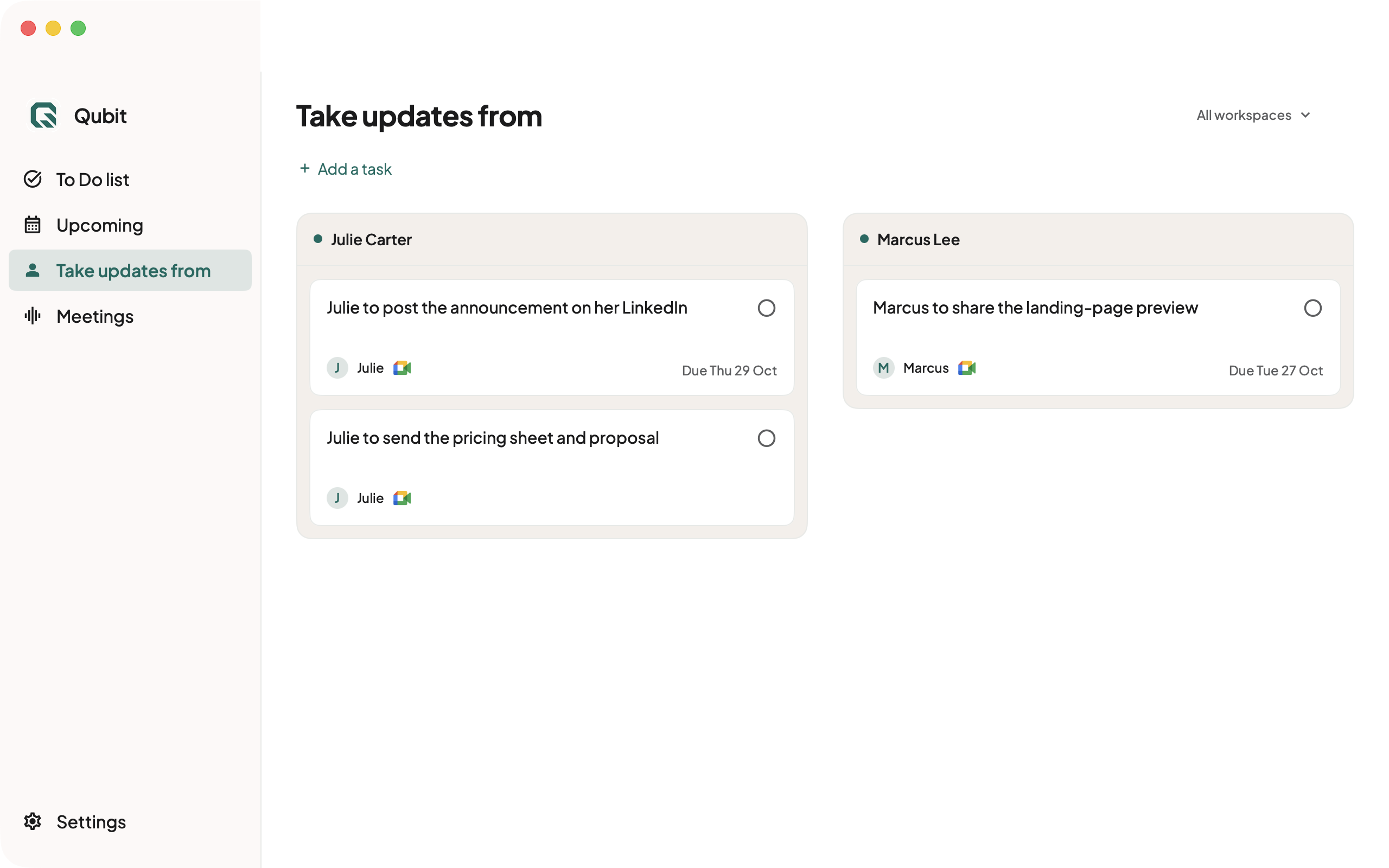
When someone promises you an input, the follow-up belongs on your radar even though the work belongs to them. Qubit separates your own actions from items you are waiting on in its personal task list.
Illustrative example. The details below are fictional, not a recorded extraction result.
Who this helps
For freelancers, agency owners and teams, fractional CXOs, consultants, and client-facing roles like account managers. Keep what you owe separate from the figures, approval or decision another person has promised you.
One project, two different kinds of work
Fictional example: a client launch memo
- Conversation
- You tell the client, “I will send the launch memo once Maya sends the approved figures.” Maya says she will send them on Wednesday.
- To Do
- Draft and send the launch memo. This is work you own, with a prerequisite you should keep visible.
- Take updates from
- Maya's approved figures. Check whether they arrive and whether Wednesday was a firm commitment before adding a date.
- After arrival
- Confirm the figures in the source, then proceed with the memo and update the waiting item. Do not assume a file is approved merely because a message arrived.
A single task such as “Launch memo” hides the dependency. Separate entries make it easier to see what you can do now and what needs a check with another person. In Qubit, the waiting-on view is for your own tracking; it does not assign work to Maya in a team system.
How to use Qubit for this
- Capture the agreement. Use a supported meeting or work source. Mac captures meeting audio on your laptop and reads permitted on-screen text. The invite-only web app reads supported connected Google and Slack accounts and uses a meeting bot.
- Review the owner. Open the available source behind each item. Correct it if Qubit treats your action and someone else's promise as the same task or assigns the wrong owner.
- Check the waiting-on view. Look for promised inputs before planning your next step. Add a missing follow-up yourself and choose a reminder if that helps you return to it.
- Close the loop deliberately. When the input arrives, check that it answers the original need. Update the item or tell Qubit what changed. Review any completion Qubit recognized from captured context.
Where the boundary is
Qubit can help maintain the personal record, but it does not chase another person, guarantee delivery, or run a shared project board. It can miss a commitment or misunderstand who owes what. A phone call outside capture needs your own entry or a natural-language update.
For the initial capture step, see client-call action items, requests by email and Slack messages to tasks. Those guides help you choose the source workflow without creating another duplicate list.